 Padejlar· Learn Russian
One app · A1 to C1
Learn Russian the easy way, through play
Cases, verbs, gender, numbers, words and conversation, all in the one Padejlar app, on one path. Three minutes a day.
Explanations: Uzbek · English · more languages later
Answer a question right now, no sign-up


У меня нет ?.
I don’t have a book. (кни́га)
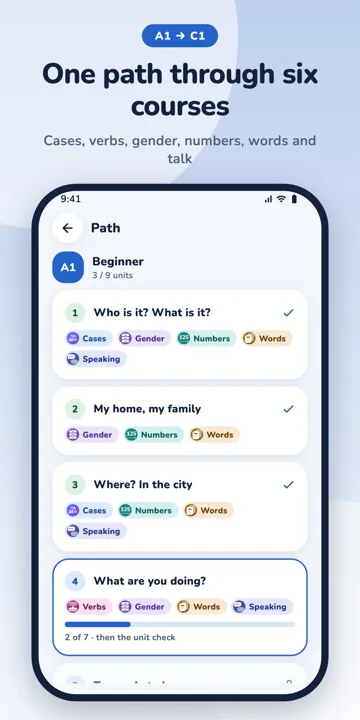
One path: A1 to C1
Topics are mixed, as in a textbook. You don’t have to decide where to start: the app shows you today’s lesson.
A1Free
First words and sentences.
- Кто это? Что это?Cases
- Я читаю, ты читаешьVerbs
- Он, она, оноGender
- 1–100 and pricesNumbers
A2Free
Everyday situations.
- Нет кого? чего?Cases
- The past tenseVerbs
- Time and datesNumbers
- Café, shop, taxiConversation
B1Free
Speaking freely.
- Aspect: НСВ / СВVerbs
- The cases in the pluralCases
- Word combinationsWords
- Work and the doctorConversation
B2Premium
Harder topics.
- Verbs of motionVerbs
- Ordinal numbers in the casesNumbers
- Set phrasesWords
- DebateConversation
C1Premium
Bookish and formal Russian.
- Bookish verbs and formal styleVerbs
- Common gender, short participlesGender
- Fractions and collective numbersNumbers
- C1 dialoguesConversation
Not sure of your level? The app has a 12-question test that takes 3 minutes.
Six sections in one app
If one topic is the hard one, you can study just that section. There is no separate app to install.
-
Inside PadejlarCases
The six cases: quizzes, flashcards and games.
нет книги · без са́хара
A1–B2 · all free
-
Inside PadejlarVerbs
Conjugation, tenses, aspect and verbs of motion.
писа́л написа́л
A1–C1
-
Inside PadejlarGender
Он, она, оно: gender and adjective agreement.
мой дом · моя́ ко́мната · моё окно́
A1–C1
-
Inside PadejlarNumbers
Prices, time, dates and age. 1 книга, 2 книги, 5 книг.
2 кни́ги · 5 книг · 21 год
A1–C1
-
Inside PadejlarWords
Words with their partners, flashcards and review.
приня́ть реше́ние · зада́ть вопро́с
A1–B2 · 5,000 words
-
Inside PadejlarConversation
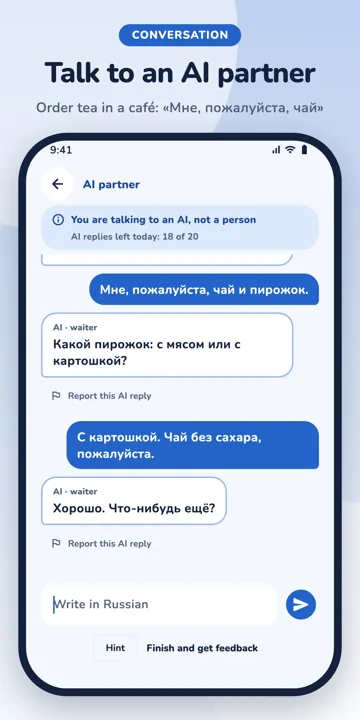
Everyday situations, ready phrases and dialogues.
— Что бу́дете пить? — Чай, пожа́луйста.
A1–C1
Play right now
One short game from each section. No sign-up, and nothing is saved.
Вчера́ я ? письмо́ весь ве́чер.
Yesterday I was writing a letter all evening.
Inside the app
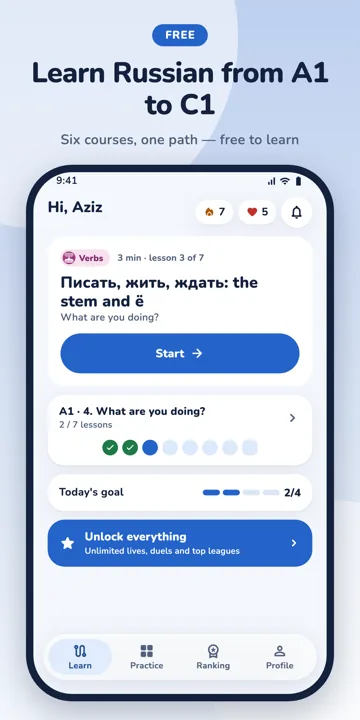
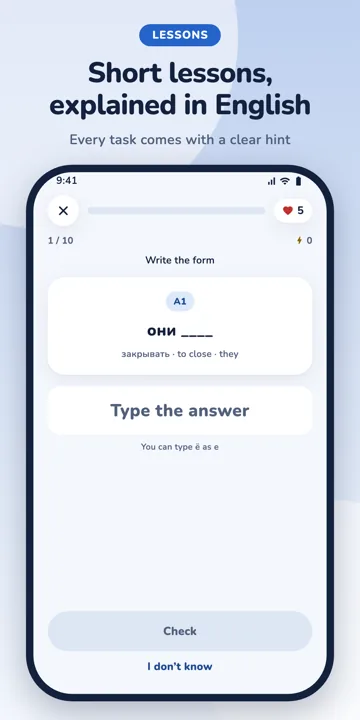
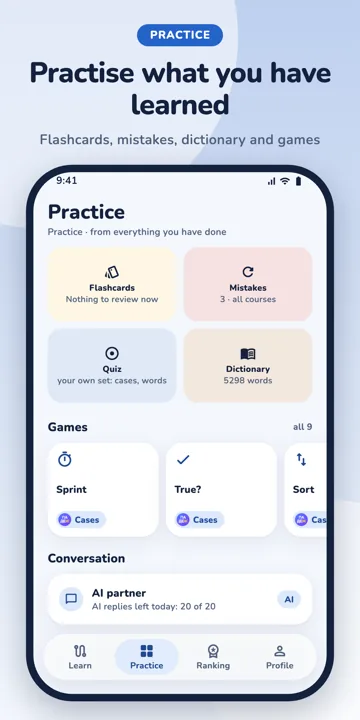
Four tabs: Learn, Practice, Leaderboard, Profile. A task in Russian with a clear explanation under it.
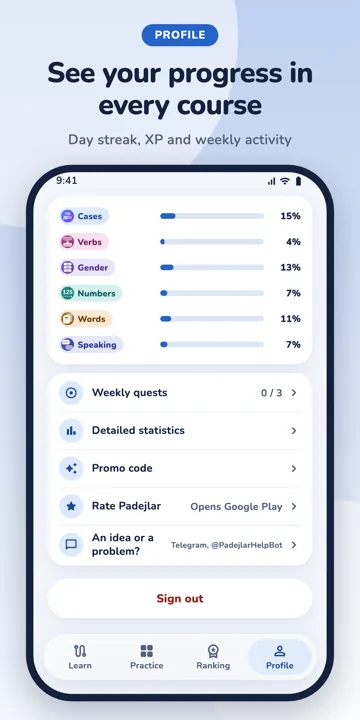
Start on your phone, carry on in your browser
One account: your hearts, XP, streak and Premium are the same on every device.
- 5hearts
- 12day streak
- 1Premium
Free guides
Pages you can read without the app.
Frequently asked questions
Is the app free?
Yes. The A1–B1 lessons, every case, the games and the dictionary are free. Premium adds unlimited hearts, ×2 XP, Duels, the Gold league, no ads and the B2–C1 lessons.
Where are the Fe’llar, Rod and Sonlar apps?
They are sections inside Padejlar now. You install one app and everything is there.
Does it work on iPhone?
Yes. Padejlar is on the App Store, and it also runs in your browser at padejlar.com/web with the same account.
Can I study just one topic, verbs for example?
Yes. Besides the whole path, the app has a «One course» mode where you study only the section you pick.
How do I pay for Premium?
On the website: Click, Payme, Uzum, Paynet or an Uzcard/Humo card, prepaid for 1, 3 or 12 months with no automatic charges. On a phone: a Google Play or App Store subscription.
How do I delete my account?
In the app under Settings, or follow the instructions. Account deletion instructions